Custom CMS Developer Freelancer

Custom CMS Developer Freelancer

https://www.youtube.com/watch?v=6vZji2AyeZw

Welcome! I’m a Custom CMS Developer Freelancer with over eight years of experience helping businesses and individuals create dynamic, secure, and user-friendly websites powered by content management systems. In a digital world where content rules, having the right CMS is critical for managing your brand, publishing updates, and automating processes. Whether you need a completely custom-built CMS, a personalized WordPress solution, or a Shopify-powered eCommerce system, I bring the technical skills and creativity required to make it happen.

What Does a Custom CMS Developer Freelancer Do?

A Custom CMS Developer Freelancer designs, develops, and customizes content management systems that empower clients to control their website content effortlessly. My job involves creating tailored back-end architectures, implementing user-friendly admin panels, and ensuring that your website’s content can be updated in real-time without technical complexity.

Understanding CMS (Content Management System)

A CMS, or Content Management System, is software that enables users to manage digital content — from text and images to videos and products — without coding knowledge. The system provides an intuitive dashboard for editing, publishing, and organizing content efficiently.

I specialize in customizing and developing CMS platforms that go beyond standard templates. Every project I take is unique — whether it’s optimizing an existing system, developing plugins, or building an entirely new CMS from the ground up.

WordPress Custom CMS Developer

As a seasoned WordPress Custom CMS Developer, I’ve worked on more than 300 WordPress projects ranging from blogs and portfolios to enterprise-level corporate websites. WordPress powers over 40% of websites globally, and its flexibility allows businesses to scale while maintaining content control.

Why Choose WordPress for CMS Development

  • Open-source platform with limitless customization.
  • Thousands of plugins and themes available for integration.
  • Strong community support and regular security updates.
  • Easy to use — even for non-technical users.
  • Perfect for SEO optimization and mobile responsiveness.

My WordPress CMS Development Services Include:

  • Custom WordPress Theme Design & Development.
  • Plugin Development & Customization.
  • WooCommerce Integration for eCommerce websites.
  • Performance Optimization and Speed Enhancement.
  • Security Hardening and Maintenance.
  • Migration from Other CMS Platforms to WordPress.
  • Multilingual Site Setup (WPML / Polylang).

Why Hire Me as Your WordPress Custom CMS Developer

I don’t just install themes — I create custom WordPress solutions that match your brand and business workflow. My approach blends technical precision with creative design, ensuring your website performs beautifully on every device. From coding clean, scalable architecture to optimizing content for SEO, my WordPress expertise gives you an edge.

Tools and Technologies I Use

  • Languages: PHP, HTML5, CSS3, JavaScript (ES6+)
  • Frameworks: React, Bootstrap, Tailwind CSS
  • Database: MySQL
  • Version Control: Git, GitHub
  • Page Builders: Elementor, Gutenberg, WPBakery

https://youtu.be/yws4Ppyv-dA

Shopify Custom CMS Developer

If your goal is to sell products online, I also specialize as a Shopify Custom CMS Developer. Shopify offers one of the most reliable eCommerce CMS platforms, allowing business owners to manage products, customers, payments, and shipping from one unified dashboard.

Benefits of Using Shopify as a Custom CMS

  • Built-in payment gateways and inventory management.
  • Responsive and modern storefront designs.
  • Highly secure and scalable hosting.
  • App Store with thousands of extensions.
  • Ideal for small businesses and large enterprises alike.

My Shopify CMS Development Services Include:

  • Custom Shopify Theme Design & Development.
  • App Integration and Shopify API Customization.
  • Migration to Shopify from WooCommerce or Magento.
  • Shopify Plus Setup for high-volume stores.
  • Product and Inventory Management Solutions.
  • Payment Gateway and Shipping API Integrations.

Why Hire Me as Your Shopify Custom CMS Developer

As a Custom CMS Developer Freelancer, I bring both technical and business perspectives to your Shopify project. I’ve developed custom CMS dashboards that make it easier for clients to manage stores, automate workflows, and track analytics in real-time. My Shopify projects are optimized for performance, SEO, and conversion.

About Me – Your Custom CMS Developer Freelancer

I’m a passionate Custom CMS Developer Freelancer with a decade of experience creating custom web solutions for startups, small businesses, and established enterprises. My goal is to make content management easier, faster, and more flexible. From WordPress blogs to large eCommerce CMS systems, I’ve built web solutions that empower clients to update and expand their digital presence with ease.

I began my journey as a self-taught web developer, fascinated by the logic behind web applications. Over time, I specialized in content management systems and realized that most businesses struggle to find developers who can bridge the gap between functionality and user experience. That’s where I come in — creating custom CMS platforms that are powerful yet user-friendly.

My Skills as a Custom CMS Developer Freelancer

My technical and creative skills enable me to build CMS platforms that meet your unique requirements. Here’s a breakdown of my expertise:

Core Skills

  • Front-End Development (HTML, CSS, JavaScript, jQuery)
  • Back-End Development (PHP, NodeJS, Express)
  • CMS Platforms: WordPress, Shopify, Joomla, Drupal, Custom PHP CMS
  • Database Management: MySQL, PostgreSQL
  • RESTful and GraphQL API Development
  • SEO Optimization and Performance Tuning

Custom CMS Developer Freelancer ecommerce website

Contact & Hire

You can contact or hire me directly using the links below or reach out via WhatsApp and email.

Street Number 5, Sadhu Nagar, Mohan Nagar, Dera Bassi, Punjab 140507

Additional Skills

  • UX/UI Design and Figma to Code Conversion
  • Version Control and Continuous Integration (Git, Bitbucket)
  • Cloud Hosting (AWS, DigitalOcean, Vercel, Netlify)
  • Website Security and Backup Solutions
  • Custom Plugin and Module Development
  • Third-Party API Integration (Google, Payment Gateways, CRM Systems)

Soft Skills

  • Clear Communication and Transparency
  • Problem Solving and Analytical Thinking
  • Project Management and Client Collaboration
  • Adaptability to New Technologies
  • Commitment to Deadlines and Quality

Why You Should Hire Me as Your Custom CMS Developer Freelancer

1. Experience and Reliability

With over 10 years in the web development industry, I’ve completed 600+ CMS projects for clients around the world. My experience covers every niche — from corporate websites and eCommerce stores to personal blogs and online portals.

2. 100% Custom Solutions

Every project is built from scratch based on your requirements. I don’t rely on one-size-fits-all templates. My CMS solutions are flexible, optimized, and designed to grow with your business.

3. SEO and Performance Focus

I understand that a great website is not just about looks — it’s about visibility and performance. I implement SEO best practices from the start, ensuring your website ranks better and loads faster.

4. Transparent Communication

You’ll always know the status of your project. I provide regular progress updates, use milestone tracking, and communicate through tools like Slack, Trello, and Zoom for smooth collaboration.

5. Affordable and Scalable

As a Custom CMS Developer Freelancer, I offer flexible pricing models that suit startups and enterprises alike. Whether you need a small CMS website or a large-scale platform, I ensure high value for your investment.

Portfolio – Featured CMS Development Projects

Here are a few examples of my recent custom CMS projects:

WordPress Websites Portfolio
Mobile App Portfolio
Front-End Development Portfolio
Shopify Development Portfolio
Website UI/UX Design Portfolio
Banner Designs Portfolio
Brand Logo Designs Portfolio

Each project represents a unique challenge solved through a combination of strategy, design, and development expertise. You can view more of my work upon request — I’ll be happy to share specific CMS projects related to your industry.


Remote Website Developer Worldwide

Remote Website Developer Worldwide

A Remote website developer worldwide is a professional who builds and maintains websites from anywhere in the world, collaborating with clients through digital tools and modern communication technologies. The concept of remote development has grown rapidly over the last decade as businesses realize they can access global talent without geographical limitations. In today’s digital age, having an online presence is crucial—and finding the right developer, regardless of location, ensures your brand or organization reaches global standards of quality and performance.

Why Choose a Remote Website Developer Worldwide

Access to Global Expertise

When you hire a Remote website developer worldwide, you tap into a diverse talent pool. Developers from different regions bring unique perspectives, creativity, and technical proficiency. Whether you need an expert in WordPress, React, Laravel, or Shopify, you can find specialized professionals across time zones ready to deliver outstanding results.

Remote developers often specialize in various areas such as front-end, back-end, full-stack, or CMS development

Cost-Effective Solutions

Hiring a remote developer eliminates many overhead costs such as office space, equipment, and employee benefits. You pay only for the work delivered, making it an efficient option for startups and established companies alike. Remote work also enables you to choose from competitive global pricing without sacrificing quality.

Flexibility and Availability

A Remote website developer worldwide offers flexibility in scheduling and project management. Developers across different time zones can work while you sleep, ensuring 24-hour productivity. This “follow-the-sun” workflow accelerates delivery and allows businesses to maintain a constant development cycle.

Scalable Collaboration

Remote teams can scale quickly. Need one developer today and a team tomorrow? Remote hiring allows seamless scaling based on project needs. Freelancers and agencies working remotely integrate easily with existing teams via online collaboration tools.

Access to the Latest Technologies

A professional Remote website developer worldwide stays updated with the latest frameworks, programming languages, and tools. They continuously learn new techniques to stay competitive, giving your project the technological advantage it deserves.

Benefits of Hiring a Remote Website Developer Worldwide

1. Diverse Skill Sets

The world of web development is vast. Remote developers often specialize in various areas such as front-end, back-end, full-stack, or CMS development. This diversity means you can hire a remote expert for any task, from UI design to complex API integration.

2. Improved Productivity

Remote developers thrive in flexible environments. With fewer office distractions, they can focus on delivering quality work. Most remote professionals use productivity-enhancing tools like Trello, Asana, or Jira to track tasks and milestones efficiently.

3. Lower Operational Costs

By hiring a Remote website developer worldwide, you save significantly on salaries, office rent, and other expenses associated with in-house teams. This allows you to allocate your budget strategically toward marketing, innovation, and business growth.

4. Enhanced Quality and Innovation

Remote developers frequently work on international projects and adapt to global standards. Their exposure to diverse industries encourages innovation and ensures your website meets modern usability, performance, and security benchmarks.

5. 24/7 Development Cycle

Different time zones become an advantage. When your local team logs off, your remote developer can continue coding, testing, or troubleshooting. This round-the-clock productivity accelerates deadlines and helps businesses stay competitive.

6. Access to Niche Expertise

Need a developer experienced in specific technologies like Vue.js, Node.js, or headless CMS? Hiring remotely expands your reach beyond local talent shortages. You can find specialists who match exact project requirements.

Key Skills of a Remote Website Developer Worldwide

Front-End Expertise

A great Remote website developer worldwide understands HTML, CSS, and JavaScript frameworks such as React, Angular, or Vue. They focus on responsiveness, cross-browser compatibility, and optimized UI performance.

Back-End Development

Strong knowledge of server-side languages like PHP, Python, or NodeJS ensures the website functions efficiently. Remote developers build robust APIs and manage databases using MySQL, PostgreSQL, or MongoDB.

CMS and eCommerce Proficiency

Many clients require WordPress, Shopify, or Magento platforms. Remote developers with CMS expertise deliver customizable, user-friendly websites that empower businesses to manage content independently.

SEO and Performance Optimization

Search-engine visibility matters. A skilled Remote website developer worldwide incorporates clean code, structured data, and fast-loading design to boost your site’s SEO rankings.

Communication and Project Management

Effective communication is crucial for remote work. Developers rely on Slack, Zoom, or Microsoft Teams to coordinate and share updates. They also use project-tracking systems that maintain transparency and accountability.

Before You Hire: Check the Remote Website Developer Profile

1. Review Their Portfolio

Before hiring a Remote website developer worldwide, examine their portfolio carefully. Look for diversity in projects—corporate sites, eCommerce platforms, web applications, and personal portfolios. The quality of past work is often the best indicator of capability.

2. Evaluate Technical Proficiency

Assess the developer’s technical stack. Do they understand your preferred frameworks? Can they integrate APIs, manage databases, and ensure security? Conduct a short technical interview or request sample code to verify skills.

3. Check Client Testimonials and Ratings

Freelance platforms like Upwork, Freelancer, and Fiverr provide verified reviews. A Remote website developer worldwide with positive feedback demonstrates reliability, communication, and consistent performance.

4. Assess Communication Skills

Language fluency and response time are essential. A good remote developer communicates clearly, sets expectations, and provides updates without being prompted.

5. Understand Time-Zone and Availability

Ensure overlapping working hours for real-time discussions. Confirm how your remote developer handles urgent issues, holidays, and project deadlines.

6. Verify Security Practices

Data protection is vital. A Remote website developer worldwide should follow secure coding standards, use encrypted connections, and sign NDAs when required.

7. Compare Pricing and Value

Cheapest isn’t always best. Evaluate the value offered—expertise, communication, and reliability. A developer who charges more but delivers faster and better can ultimately save you time and money.

How Remote Website Developers Work Worldwide

Remote developers use cloud-based tools and version-control systems such as GitHub or GitLab to collaborate effectively. They deploy code via CI/CD pipelines, use containers like Docker, and rely on agile methodologies for project management. These practices ensure transparency, speed, and adaptability regardless of physical location.

Common Tools Used by Remote Website Developers Worldwide

  • Communication: Slack, Zoom, Microsoft Teams
  • Project Management: Trello, Asana, Jira
  • Version Control: Git, GitHub, Bitbucket
  • Deployment: AWS, DigitalOcean, Netlify, Vercel
  • Design Collaboration: Figma, Adobe XD
  • Testing: Cypress, Jest, Selenium

Challenges of Hiring a Remote Website Developer Worldwide (and How to Overcome Them)

Time-Zone Differences

Coordinate using shared calendars and scheduling tools. Establish overlapping hours for stand-up meetings and milestone reviews.

Communication Barriers

Encourage written documentation and use visual collaboration tools like Loom or Miro to clarify ideas. Clear communication minimizes misunderstandings.

Quality Assurance

Set milestones and request progress demos. Use staging servers to test work before deployment.

Data Security

Use encrypted file-sharing systems and secure credentials. Require developers to use VPNs and follow password-management best practices.

Success Stories: Remote Website Developer Worldwide in Action

Thousands of global businesses have embraced remote development. Startups from Silicon Valley hire developers from Eastern Europe or Asia to access skilled professionals at competitive rates. Enterprises in Europe collaborate with Latin American developers for similar time zones and bilingual communication. This global exchange fuels innovation and connects talent across continents.

SEO Importance for Remote Website Development

A good Remote website developer worldwide understands SEO from the ground up. Clean URLs, proper heading structures, fast loading, and mobile responsiveness contribute directly to higher search rankings. Developers also integrate analytics tools like Google Analytics or Matomo to monitor traffic and user engagement.

Case Study Example

A US-based eCommerce brand hired a Remote website developer worldwide from India to rebuild their store using React and NodeJS. Within six weeks, site speed improved by 40%, SEO visibility increased by 25%, and conversion rates rose by 15%. Remote collaboration tools bridged the time-zone gap and resulted in a long-term partnership.

Ethics and Professionalism in Remote Development

Professional remote developers maintain confidentiality, deliver on commitments, and respect cultural diversity. They prioritize transparency in communication and billing. Ethical work practices foster trust, which is essential for long-term collaborations across borders.

Read More Blog

  • Front End Development Website Developer
  • Local WordPress Developer
  • Avada Professional WordPress Theme Customization
  • Why Every Business Needs a Professional Website
  • Hire a Freelancer for Website Design and Developer
  • Customize Flatsome Theme and WooCommerce According to Your Requirements
  • Freelancer for Website Design and Development
  • Avada Custom Branding Professional WordPress Development Services
  • Avada Custom Branding CSS Services – Balram Partap Singh
  • Website Development Freelancer Near Me – Hire Top Indian Freelancer
  • Hire a Professional Local WordPress Developer
  • Avada Custom Header Development
  • Web Design Services Near Me
  • Remote Website Developer Worldwide – Comprehensive FAQ and Hiring Guide

    Hiring a Remote website developer worldwide has become one of the smartest strategies for businesses and entrepreneurs seeking high-quality, cost-effective web solutions. Remote developers bring international experience, diverse skills, and flexibility that help businesses scale faster in the global digital marketplace. Below you’ll find a detailed FAQ guide covering every aspect of working with a remote website developer — from finding the right professional to ensuring project success.

    What Does a Remote Website Developer Worldwide Do?

    A Remote website developer worldwide is a professional who designs, builds, and maintains websites or web applications from a remote location. They collaborate with clients using online tools and deliver complete solutions without the need for physical meetings. Their work includes both front-end (user interface) and back-end (server and database) development, as well as optimization, testing, and deployment.

    Why Should I Hire a Remote Website Developer Worldwide?

    The biggest advantage of hiring a Remote website developer worldwide is access to global talent. You’re no longer restricted by geography — you can hire the best developer for your budget and project needs. Remote professionals offer competitive pricing, bring innovative ideas from international markets, and work flexible hours that complement your schedule. This approach reduces costs and accelerates project timelines.

    How Does a Remote Website Developer Worldwide Work?

    Remote developers work using digital communication and collaboration tools such as Zoom, Slack, Trello, Jira, and GitHub. They usually follow agile or scrum methodologies to ensure transparency and progress tracking. Clients receive regular updates, milestone reports, and demo links to monitor results. Even though they work from different countries, the process is seamless thanks to modern cloud technology and shared workspaces.

    What Are the Benefits of Hiring a Remote Website Developer Worldwide?

    1. Global Talent Pool

    You can hire developers from any country, giving you access to top experts with specialized skills in React, Laravel, WordPress, or Shopify. This diversity ensures you find the right match for your exact project needs.

    2. Cost Efficiency

    A Remote website developer worldwide helps businesses save on salaries, infrastructure, and benefits. You pay only for the work delivered, not for office expenses or downtime. This makes remote hiring extremely economical for startups and small businesses.

    3. Faster Delivery

    Developers in different time zones can work while you rest, maintaining a 24-hour production cycle. This increases efficiency and shortens project turnaround times.

    4. Access to Specialized Skills

    Remote developers often focus on specific niches — whether it’s UX design, eCommerce, or API integration — allowing you to hire true specialists rather than generalists.

    5. Flexibility

    A remote developer adapts to your preferred tools, communication methods, and workflows. You can scale up or down depending on your workload.

    How to Find a Reliable Remote Website Developer Worldwide?

    Finding a trusted remote professional requires research and vetting. Here’s how you can do it:

    • Browse reputable freelance platforms like Upwork, Fiverr, or Toptal.
    • Check LinkedIn or specialized web development forums.
    • Review portfolios to assess design and technical quality.
    • Read client feedback and ratings.
    • Conduct short interviews or coding tests to evaluate communication and expertise.

    What Skills Should a Remote Website Developer Worldwide Have?

    A qualified remote developer should have a balanced combination of technical and soft skills:

    • Front-end skills: HTML, CSS, JavaScript, React, Vue, or Angular.
    • Back-end skills: PHP, NodeJS, Python, or Ruby.
    • Database management: MySQL, PostgreSQL, or MongoDB.
    • Version control: Git and GitHub for team collaboration.
    • Communication: Clear written and verbal English.
    • Project tools: Familiarity with Jira, Trello, or Asana.
    • SEO & performance: Basic knowledge of search optimization and site speed improvements.

    What Is the Typical Cost to Hire a Remote Website Developer Worldwide?

    Costs depend on experience, location, and project complexity. Entry-level developers may charge $15–$25 per hour, while senior experts charge $50–$150 per hour. Developers from regions like South Asia or Eastern Europe often offer competitive rates with excellent quality.

    How Can I Manage a Remote Website Developer Worldwide Effectively?

    Successful remote collaboration depends on structure and communication:

    • Define clear project goals, deadlines, and deliverables.
    • Use a shared project management board.
    • Schedule regular video meetings for updates.
    • Provide detailed feedback using screenshots or Loom videos.
    • Encourage transparency and daily progress summaries.

    How Do I Ensure Quality When Working with a Remote Website Developer Worldwide?

    Establish a milestone-based payment plan. Request periodic demos and maintain access to code repositories for review. Run quality assurance tests on staging servers before launch. Consistent communication and documentation ensure consistent results.

    What Communication Tools Are Commonly Used?

    Common communication and collaboration tools include:

    • Slack for instant messaging
    • Zoom or Google Meet for video calls
    • Trello, Asana, or Jira for task management
    • GitHub or Bitbucket for version control
    • Figma or Adobe XD for design feedback

    What Should I Check Before Hiring a Remote Website Developer Worldwide?

    1. Portfolio and Case Studies

    Review the developer’s past work. Diverse projects demonstrate adaptability and creativity.

    2. Client References

    Reach out to previous clients to confirm professionalism, reliability, and communication quality.

    3. Technical Certifications

    Certified developers or those with verified course credentials from platforms like Coursera or Udemy show continuous learning.

    4. Response Time and Availability

    Make sure the developer responds quickly and is available during overlapping work hours for critical discussions.

    Can a Remote Website Developer Worldwide Handle Large Projects?

    Yes, absolutely. Remote teams can build and maintain enterprise-level platforms by dividing tasks among developers, designers, and QA testers. Scalability and cloud infrastructure make remote collaboration easy even for large-scale projects.

    Is Time-Zone Difference a Problem?

    Not really. A Remote website developer worldwide adjusts working hours to overlap with your schedule. Time-zone diversity can even be an advantage, ensuring 24/7 progress. Many clients use shared calendars and scheduling tools to coordinate meetings effortlessly.

    How Does Payment Work with a Remote Website Developer Worldwide?

    Payments are usually milestone-based through secure platforms like Upwork Escrow or PayPal. Clients release funds after reviewing each phase of the project. Some developers also accept direct invoicing for long-term contracts.

    Can I Hire a Remote Website Developer Worldwide for Long-Term Work?

    Yes. Many clients build ongoing relationships with remote developers for maintenance, updates, and new feature implementation. A long-term contract ensures consistency, brand understanding, and continuous improvement.

    What Are the Security Measures for Remote Development?

    Security includes using encrypted connections (SSL/VPN), secure password management, and NDAs. Developers should follow coding best practices, apply two-factor authentication, and keep software libraries up-to-date.

    How Can I Build Trust with a Remote Website Developer Worldwide?

    Trust grows from transparency and respect. Be clear about expectations, deliverables, and deadlines. Offer feedback constructively and appreciate milestones achieved. Regular communication fosters reliability and mutual understanding.

    Do Remote Website Developers Worldwide Provide Maintenance?

    Most professional developers offer maintenance packages covering bug fixes, updates, and performance optimization. They ensure your website remains secure, fast, and compatible with the latest technologies.

    How Do I Handle Cultural Differences When Hiring Remotely?

    Cultural diversity enriches collaboration. Respect time zones, holidays, and communication styles. Use clear documentation and friendly professionalism to avoid misunderstandings. Global teamwork often sparks creativity and innovation.

    What Are the Common Technologies Used by Remote Website Developers Worldwide?

    • Front-End: React, Vue, Angular, HTML5, CSS3
    • Back-End: NodeJS, PHP, Laravel, Python, Ruby on Rails
    • Databases: MySQL, PostgreSQL, MongoDB
    • CMS: WordPress, Shopify, Drupal
    • Version Control: GitHub, GitLab
    • Hosting: AWS, DigitalOcean, Vercel, Netlify

    How Do I Ensure SEO Optimization with a Remote Website Developer Worldwide?

    Ask your developer to implement technical SEO elements such as meta tags, schema markup, image alt text, and site speed optimization. A good Remote website developer worldwide understands that clean code and mobile responsiveness directly influence SEO performance.

    What Is the Future of Remote Website Development Worldwide?

    Remote development will continue to grow as companies adopt hybrid and fully distributed teams. AI, automation, and advanced frameworks will streamline development workflows. Businesses will increasingly hire global developers to reduce costs and increase innovation.

    Can Remote Developers Work in Teams?

    Yes, remote website developers frequently collaborate within cross-functional teams including designers, QA testers, and project managers. Using agile frameworks, they synchronize tasks, review sprints, and deliver iterative improvements efficiently.

    How Do Remote Website Developers Worldwide Handle Deadlines?

    Deadlines are managed through sprint planning, milestone tracking, and daily stand-ups. Most remote developers use digital time-tracking tools and deliver weekly progress reports to ensure transparency.

    Can I Request Custom Features from a Remote Website Developer Worldwide?

    Absolutely. Remote developers excel in building custom solutions — from advanced booking systems to third-party integrations. They analyze your business goals and design tailored features that enhance user experience.

    What If I Am Not Satisfied with the Work?

    Reputable platforms provide dispute resolution and refund mechanisms. If hiring directly, maintain contracts specifying revision limits and acceptance criteria. A reliable Remote website developer worldwide will always strive to fix issues and maintain client satisfaction.

    How Do Remote Developers Stay Updated with Technology?

    They attend virtual conferences, take online courses, and participate in developer communities. Continuous learning ensures they remain proficient in the latest frameworks, coding standards, and design trends.

    Can Remote Website Developers Worldwide Help with Branding?

    While primarily focused on functionality, many remote developers collaborate with designers to align website aesthetics with brand identity — colors, typography, and tone — ensuring consistency across your digital channels.

    What Makes a Good Remote Website Developer Worldwide?

    Technical excellence, reliability, and communication define a good remote developer. They take ownership of projects, adapt to your workflow, and proactively solve problems before they escalate.

    What Are the Red Flags When Hiring a Remote Website Developer Worldwide?

    • No portfolio or incomplete project samples.
    • Poor communication or delayed responses.
    • Unrealistic promises of results or deadlines.
    • Reluctance to use secure payment methods or contracts.
    • Lack of transparency in pricing or process.

    How to Measure the Success of Remote Collaboration?

    Success indicators include on-time delivery, code quality, SEO performance, and user feedback. If communication flows smoothly and goals are met, the partnership is working well.

    Can a Remote Website Developer Worldwide Work on My Existing Site?

    Yes. They can audit your current code, fix bugs, enhance speed, or redesign specific modules. Remote developers often specialize in maintenance and modernization of legacy systems.

    Final Thoughts on Hiring a Remote Website Developer Worldwide

    The digital world no longer has borders. By hiring a Remote website developer worldwide, you gain access to top talent, innovative ideas, and cost-effective solutions that empower your business online. Whether building a new website or improving an existing one, a remote developer brings global expertise directly to your project. Take the time to review profiles, verify credentials, and establish clear communication, and you’ll discover that remote collaboration is not just convenient — it’s the future of web development.

    Contact & Hire

    You can contact or hire me directly using the links below or reach out via WhatsApp and email.


Top Rated Freelance Web Designer on Upwork

Top Rated Freelancer Web Designer on Upwork

https://balrampartapsingh.com/wp-content/uploads/2023/04/balrampartapsingh.mp4

Finding a Top Rated Freelance Web Designer on Upwork is crucial for businesses, startups, and entrepreneurs seeking high-quality, responsive, and SEO-friendly websites. The right web designer can transform your online presence, attract more clients, and increase conversions through professional and customized design solutions. Hiring a top-rated freelancer ensures experience, proven expertise, and reliable delivery tailored to your specific business needs.

Upwork has become the leading marketplace for businesses seeking freelance web design services. A Top Rated Freelance Web Designer on Upwork combines creativity, technical skills, and client-focused service to deliver professional results. Whether you need a corporate website, eCommerce store, personal portfolio, or landing page, a top-rated Upwork designer can handle every aspect of web development with precision and attention to detail.

Why Choose a Top Rated Freelance Web Designer on Upwork

Upwork’s top-rated freelancers are recognized for consistently delivering high-quality work, maintaining excellent client feedback, and meeting project deadlines. Choosing a Top Rated Freelance Web Designer on Upwork ensures your project is handled by someone who has a proven track record and expertise in creating responsive, modern, and functional websites.

Benefits of Hiring a Top Rated Freelance Web Designer

  • Professional and customized web design services
  • SEO-friendly and responsive websites
  • Proven track record with client reviews and ratings
  • Cost-effective compared to agencies
  • Direct communication and fast delivery

Understanding the Role of a Top Rated Freelance Web Designer on Upwork

A Top Rated Freelance Web Designer on Upwork is not just a developer but a digital partner who helps you create a powerful online presence. These designers understand branding, user experience, and the technical aspects of web design to deliver websites that perform well and meet business objectives.

Key Responsibilities

  • Designing responsive and visually appealing websites
  • Developing user-friendly interfaces with easy navigation
  • Integrating SEO-friendly structures and content
  • Ensuring fast loading times and mobile responsiveness
  • Providing ongoing maintenance and support

Skills Required to Become a Top Rated Freelance Web Designer on Upwork

To be a Top Rated Freelance Web Designer on Upwork, a freelancer needs a combination of technical, design, and communication skills. These skills ensure that websites are not only attractive but also functional and optimized for search engines.

Technical Skills

  • Proficiency in HTML, CSS, JavaScript, and responsive frameworks
  • Knowledge of WordPress, Shopify, or other CMS platforms
  • SEO optimization and web performance enhancement
  • Experience with eCommerce integration and payment gateways

Design Skills

  • Creative visual design aligned with branding
  • User Experience (UX) design to improve engagement
  • User Interface (UI) design for clear navigation and functionality
  • Ability to create landing pages and conversion-focused designs

Soft Skills

  • Clear and effective communication with clients
  • Project management and time management
  • Problem-solving and adaptability
  • Attention to detail and quality assurance

How to Hire a Top Rated Freelance Web Designer on Upwork

Hiring the right designer on Upwork requires careful consideration. Look for freelancers who have a proven portfolio, top ratings, and strong client reviews. A Top Rated Freelance Web Designer on Upwork is likely to have experience across multiple industries and a variety of web design projects.

Steps to Hire

  1. Search using relevant keywords like “Top Rated Freelance Web Designer on Upwork”
  2. Review portfolios and completed projects
  3. Check client reviews and overall rating
  4. Interview the freelancer to discuss project requirements
  5. Agree on timelines, milestones, and budget
  6. Sign a contract or Upwork agreement

Working Independently in the Digital World

Contact & Hire

You can contact or hire me directly using the links below or reach out via WhatsApp and email.

Street Number 5, Sadhu Nagar, Mohan Nagar, Dera Bassi, Punjab 140507

Creating a High-Impact Upwork Profile

A professional Upwork profile is essential for both freelancers and clients looking for top talent. A Top Rated Freelance Web Designer on Upwork has a profile that clearly highlights skills, experience, portfolio, and client testimonials.

Key Elements of a Strong Profile

  • Professional profile photo and headline
  • Detailed description of services and expertise
  • Portfolio showcasing past projects
  • Client testimonials and ratings
  • Skills tags and certifications

Importance of Portfolio for a Top Rated Freelance Web Designer

A Top Rated Freelance Web Designer on Upwork demonstrates expertise through a diverse and high-quality portfolio. Potential clients review portfolios to gauge the freelancer’s creativity, technical skills, and ability to deliver professional websites.

Portfolio Best Practices

  • Include screenshots and live links
  • Highlight project challenges and solutions
  • Show variety: business websites, eCommerce stores, landing pages
  • Include client testimonials where possible

Crafting SEO-Friendly Proposals on Upwork

When hiring or applying for projects, proposals are critical. A Top Rated Freelance Web Designer on Upwork creates clear, personalized, and SEO-optimized proposals that address client needs and showcase expertise.

Elements of a Winning Proposal

  • Brief introduction and understanding of project
  • Portfolio samples relevant to the project
  • Step-by-step plan to achieve client goals
  • Clear pricing and timeline
  • Call-to-action encouraging client engagement

Client Communication and Project Management

Effective communication is a hallmark of a Top Rated Freelance Web Designer on Upwork. Keeping clients updated, managing revisions, and delivering on time builds trust and long-term relationships.

Best Practices

  • Set clear milestones and deadlines
  • Provide regular progress updates
  • Use Upwork messaging or project management tools
  • Be proactive in solving issues
  • Request client feedback and iterate accordingly

Advantages of Hiring a Top Rated Freelance Web Designer on Upwork

Businesses gain multiple benefits from hiring top-rated freelancers on Upwork. A Top Rated Freelance Web Designer on Upwork delivers professional websites, saves time, and ensures a return on investment.

Key Advantages

  • Access to experienced, verified professionals
  • Cost-effective solutions without agency overhead
  • Custom and responsive web design
  • SEO-optimized websites for better rankings
  • Fast turnaround with reliable delivery

Common Mistakes Freelancers Should Avoid

Even top-rated freelancers must maintain quality. Avoiding common mistakes ensures continued success on Upwork.

  • Overpromising and underdelivering
  • Neglecting client communication
  • Using templates without customization
  • Ignoring mobile responsiveness
  • Failing to implement SEO best practices

Tools and Technologies Used by a Top Rated Freelance Web Designer on Upwork

Modern web design requires proficiency in tools and technologies. A Top Rated Freelance Web Designer on Upwork leverages these to deliver professional results.

Design Tools

  • Adobe Photoshop, Illustrator, XD
  • Figma and Sketch for UI/UX
  • Canva for quick design elements

Development Tools

  • HTML, CSS, JavaScript
  • WordPress, Shopify, WooCommerce
  • React, Angular, Vue for advanced projects
  • GitHub for version control

SEO and Analytics Tools

  • Google Analytics & Google Search Console
  • Yoast SEO for WordPress
  • Ahrefs and SEMrush for keyword analysis
  • Page speed optimization tools like GTmetrix

Top Freelancer Website Designer and Developer

Trends in Freelance Web Design

Staying updated with the latest trends is key for a Top Rated Freelance Web Designer on Upwork. Trends include minimalistic designs, interactive UI elements, mobile-first layouts, and AI-driven personalization.

Future Outlook for Freelance Web Designers

The demand for skilled freelancers is growing globally. Businesses increasingly prefer hiring Top Rated Freelance Web Designers on Upwork due to cost-effectiveness, expertise, and flexibility. Remote freelance opportunities are expanding across multiple industries.

Frequently Asked Questions

1. How do I find a Top Rated Freelance Web Designer on Upwork?

Search using the keyword “Top Rated Freelance Web Designer on Upwork,” check portfolios, ratings, and reviews, and interview potential freelancers before hiring.

2. Are top-rated freelancers more expensive?

They may charge slightly higher rates, but their experience, proven results, and professionalism often provide better ROI than lower-rated freelancers.

3. Can they handle eCommerce projects?

Yes, top-rated freelancers have experience with WordPress, Shopify, and custom eCommerce solutions.

4. How long does it take to complete a website?

Typically 2–4 weeks for a standard business website, depending on complexity and revisions.

5. Do they provide SEO services?

Most top-rated freelancers integrate on-page SEO, responsive design, and performance optimization as part of their service.

Conclusion

Hiring a Top Rated Freelance Web Designer on Upwork is a smart investment for any business or entrepreneur. They bring professionalism, creativity, and expertise to every project, ensuring websites are visually appealing, responsive, and SEO-friendly. By leveraging their experience, you can build a strong online presence, attract more clients, and achieve measurable results. Start your project today by connecting with a top-rated Upwork web designer who matches your vision and requirements.

Custom CMS Developer Freelancer ecommerce website

Read More Blog

Hire Freelance Website Designer Online

Top Rated Freelance Web Designer on Upwork / Fiverr / Guru – Expert Comparison & SEO Strategies

Top Rated Freelance Web Designer on Upwork / Fiverr / Guru refers to highly skilled professionals who design, develop, and optimize websites for businesses, entrepreneurs, and agencies globally. These freelancers stand out for their creativity, reliability, and technical expertise across multiple online platforms. Whether you’re a client looking for web design services or a freelancer aspiring to reach top-rated status, understanding how each platform works — and how to succeed on them — is crucial.

Freelancing platforms like Upwork, Fiverr, and Guru have revolutionized how businesses hire web designers. Each platform has its own system for ranking, rating, and rewarding top performers. This article explores how to become a Top Rated Freelance Web Designer on Upwork / Fiverr / Guru, what skills are required, how to optimize your visibility, and which strategies lead to long-term success.

Why Being a Top Rated Freelance Web Designer Matters

Becoming a Top Rated Freelance Web Designer on Upwork / Fiverr / Guru means you have consistently delivered high-quality projects, received excellent client feedback, and maintained strong reliability. This title builds trust, attracts premium clients, and allows you to charge higher rates. For clients, hiring a top-rated designer guarantees professionalism, proven experience, and successful project outcomes.

Benefits for Freelancers

  • Increased visibility and ranking on freelance marketplaces
  • Higher earnings and long-term clients
  • Eligibility for exclusive platform perks and promotions
  • Stronger credibility and trust from potential clients

Benefits for Clients

  • Access to verified, experienced professionals
  • Guaranteed quality and on-time delivery
  • Transparent communication and milestone-based workflows
  • Consistent post-project support and updates

Top Rated Freelance Web Designer on Upwork

Upwork is one of the largest global freelancing platforms. A Top Rated Freelance Web Designer on Upwork is recognized for exceptional performance, client satisfaction, and consistent delivery of outstanding web design projects. Upwork’s “Top Rated” badge is earned through high job success scores, positive reviews, and long-term client relationships.

Key Qualities of a Top Rated Freelance Web Designer on Upwork

  • 90%+ job success score
  • Reliable delivery and repeat clients
  • Strong portfolio with verified projects
  • Clear and professional communication
  • SEO and UX expertise in web design

Tips to Succeed on Upwork

  • Build a professional profile with SEO keywords like “freelance web designer” and “responsive web design expert.”
  • Use a detailed portfolio showcasing results and client testimonials.
  • Apply only to relevant, well-matched projects.
  • Deliver on time and exceed client expectations to maintain high feedback scores.
  • Keep long-term relationships through consistent support.

SEO Strategy for Upwork Freelancers

To appear in top searches, include the focus keyword “Top Rated Freelance Web Designer on Upwork” in your title, overview, and skill tags. Add variations like “WordPress web design,” “eCommerce website development,” and “UI/UX design.” Optimize your portfolio descriptions and job success metrics for maximum visibility.

Top Rated Freelance Web Designer on Fiverr

Fiverr has become a major platform for freelance services, especially for creative professionals. A Top Rated Freelance Web Designer on Fiverr earns recognition based on gig performance, client satisfaction, and consistent sales. Fiverr’s “Top Rated Seller” badge is given to freelancers who maintain excellent reviews and service delivery over time.

Requirements for Fiverr’s Top Rated Seller

  • Minimum 100 orders completed (60+ days active)
  • High response rate and order completion rate
  • 4.7+ average rating across all gigs
  • Consistent positive reviews and on-time delivery

Success Tips for Fiverr Designers

  • Create eye-catching gig thumbnails and video introductions.
  • Write SEO-friendly gig titles and descriptions.
  • Offer clear packages (Basic, Standard, Premium) with defined deliverables.
  • Communicate proactively and provide post-delivery support.
  • Encourage client feedback and positive reviews.

SEO Strategy for Fiverr Freelancers

Use relevant keywords in your gig title and tags, such as “Top Rated Freelance Web Designer on Fiverr,” “WordPress website expert,” or “professional landing page design.” Update your gig frequently, optimize the description for readability, and promote it externally on LinkedIn or personal websites to improve Fiverr’s ranking signals.

Top Rated Freelance Web Designer on Guru

Guru is another trusted platform connecting businesses with skilled freelancers. A Top Rated Freelance Web Designer on Guru showcases professionalism, verified experience, and strong client relationships. Guru emphasizes reliability, repeat business, and transparent project management.

Characteristics of a Top Rated Freelancer on Guru

  • Verified ID and strong client references
  • Consistent earnings with long-term projects
  • High rating (4.8+ average)
  • Expertise in WordPress, PHP, HTML, CSS, and JavaScript
  • Strong communication and milestone tracking

How to Succeed on Guru

  • Optimize your profile with industry-specific keywords like “Top Rated Freelance Web Designer on Guru.”
  • Upload professional portfolio samples with before/after visuals.
  • Set clear work agreements with defined milestones.
  • Deliver top-quality work to encourage repeat clients.
  • Keep your profile updated and active to attract new projects.

SEO Strategy for Guru Freelancers

Guru’s internal search ranks profiles based on skill tags, activity, and client engagement. Use keyword-rich descriptions and titles such as “Top Rated Freelance Web Designer on Guru,” “Custom website developer,” and “responsive design specialist.” Encourage reviews and share your profile on external channels to boost visibility.

Comparing Upwork, Fiverr, and Guru for Freelance Web Designers

Each platform offers unique advantages and challenges. Understanding these differences helps freelancers choose where to focus and clients decide where to hire. Below is a comparison of features relevant to becoming a Top Rated Freelance Web Designer on Upwork / Fiverr / Guru.

Feature Upwork Fiverr Guru
Top Rated Badge Criteria Job success score, reviews, earnings, and reliability Order volume, reviews, and response rate Ratings, verified identity, and repeat clients
Best For Long-term, complex projects Quick, fixed-price gigs Professional B2B contracts
Pricing Model Hourly or fixed price Predefined gig packages Flexible agreements and quotes
Client Interaction Direct messaging and milestones Structured gig orders and revisions Workroom with milestone tracking
Average Commission 10% 20% 9%

Common SEO Strategies for Freelance Web Designers

Regardless of the platform, SEO plays a vital role in visibility. A Top Rated Freelance Web Designer on Upwork / Fiverr / Guru uses targeted keywords, content optimization, and portfolio enhancement to attract more clients organically.

Key SEO Techniques

  • Use keywords in titles, profiles, and gig descriptions.
  • Write informative blog posts or articles showcasing web design expertise.
  • Optimize portfolio pages with image alt tags and project details.
  • Gain backlinks from your website, LinkedIn, or Behance profiles.
  • Request clients to mention keywords in their feedback (e.g., “best web designer on Upwork”).

On-Page Optimization for Freelancer Profiles

  • Include “Top Rated Freelance Web Designer on Upwork / Fiverr / Guru” in headings and summaries.
  • Add niche-specific keywords: “WordPress,” “UI/UX,” “Responsive Design.”
  • Keep your description concise, keyword-rich, and client-focused.
  • Use bullet points for readability.

Success Tips from a Top Rated Freelance Web Designer

To achieve and maintain top-rated status, consistent effort, communication, and quality are essential. Here are expert insights from seasoned freelancers across Upwork, Fiverr, and Guru.

1. Focus on Client Satisfaction

Deliver exceptional quality, communicate clearly, and exceed expectations. Client feedback directly influences platform ratings.

2. Build a Niche Expertise

Specialize in one area, such as “eCommerce website design,” “portfolio websites,” or “WordPress customization.” This boosts your credibility and search visibility.

3. Maintain Consistent Activity

Log in daily, update your profile, and engage with messages promptly to stay active in algorithm rankings.

4. Showcase Your Best Work

Upload case studies, testimonials, and before/after redesigns to demonstrate your impact and results.

5. Stay Updated with Web Design Trends

Learn new tools like Figma, Webflow, and Elementor. Keep pace with design standards and Google SEO updates to remain competitive.

How Clients Can Choose the Best Top Rated Freelance Web Designer

Clients should evaluate freelancers based on project relevance, reviews, and communication. A Top Rated Freelance Web Designer on Upwork / Fiverr / Guru should provide a mix of creativity, reliability, and technical skill.

Client Checklist Before Hiring

  • Review portfolio and completed projects.
  • Check ratings and top-rated badges.
  • Discuss timelines, deliverables, and support policies.
  • Request sample mockups or design concepts.
  • Set clear communication channels and milestones.

Challenges of Freelancing on Upwork, Fiverr, and Guru

  • High competition among web designers
  • Platform fees reducing earnings
  • Maintaining consistent 5-star feedback
  • Handling client revisions and scope creep
  • Adapting to algorithm changes affecting profile visibility

Future of Top Rated Freelance Web Designers

As businesses continue shifting online, demand for web design expertise will grow rapidly. The next generation of Top Rated Freelance Web Designers on Upwork / Fiverr / Guru will integrate AI tools, automation, and data-driven UX to deliver cutting-edge results. Staying adaptable, innovative, and SEO-savvy ensures sustained success.

Conclusion

Becoming a Top Rated Freelance Web Designer on Upwork / Fiverr / Guru requires a mix of skill, strategy, and consistency. Each platform offers opportunities for designers to showcase talent, build reputation, and earn globally. By focusing on quality work, SEO optimization, client relationships, and continuous learning, you can rise to the top of any freelancing marketplace. Whether you choose Upwork’s long-term projects, Fiverr’s gig model, or Guru’s flexible workrooms, success lies in providing value that stands out in a competitive digital world.


Avada Professional WordPress Theme Customization

Avada Professional WordPress Theme Customization

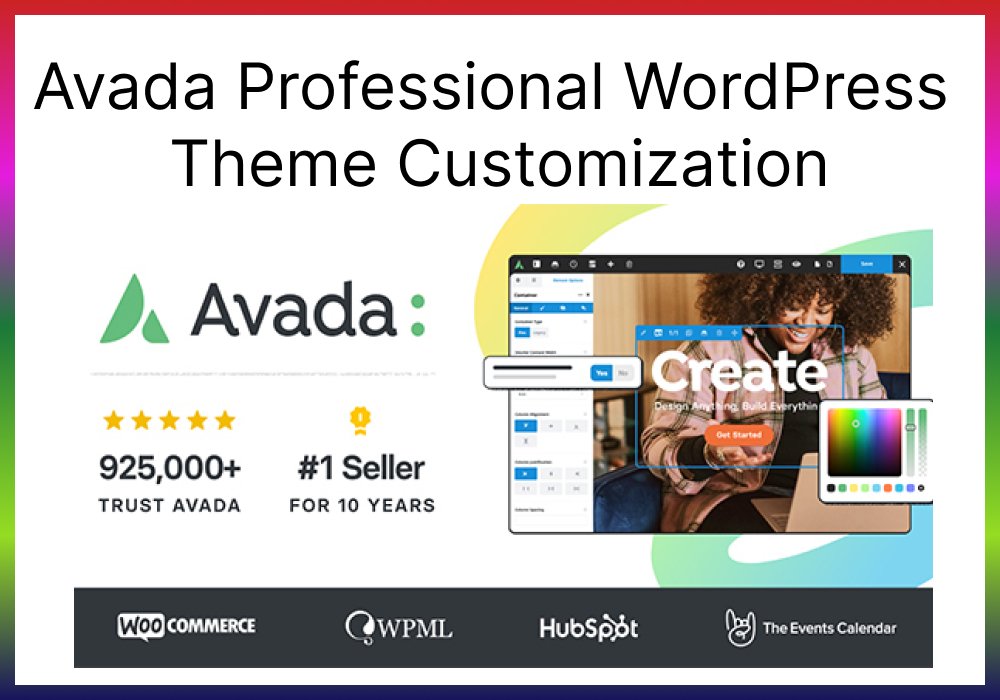
Avada Professional WordPress Theme Customization, The Avada theme is one of the most versatile and widely used WordPress themes, boasting over 800,000 downloads. Known for its flexibility, Avada offers a professional edge to businesses, blogs, portfolios, and eCommerce websites alike. If you’re looking to stand out and build a website tailored to your brand, customizing Avada is the way to go.

This post will walk you through everything you need to know about customizing the Avada theme, from the basics to advanced tweaks that improve both design and functionality.

Best Website Developers Near Me

Key Features of the Avada WordPress Theme

Avada Professional WordPress Theme Customization powerful features that make it a top choice among WordPress developers:

Pre-built templates and demos: Easily importable demos give your site a jump-start.
Avada Builder: Its drag-and-drop builder simplifies page creation, even for non-coders.
Mobile responsiveness: Avada ensures your site looks perfect on any screen size.
SEO-ready architecture: It comes with performance optimizations to rank better on Google.

.
Hire a Professional Local WordPress Developer

Why Customize the Avada Theme?

While Avada offers stunning pre-designed layouts, customization allows you to align the website perfectly with your brand. It improves user experience, boosts SEO performance, and gives your site a unique identity.

Avada Professional WordPress Theme Customization

Getting Started with Avada Theme Customization

Installing the Avada Theme on WordPress

  1. Log in to your WordPress dashboard.
  2. Go to Appearance > Themes and click Add New.
  3. Upload the Avada theme and activate it.

Importing Avada Demos for a Head Start

Avada offers multiple demo templates, including eCommerce, portfolio, and business templates. You can import a demo and customize it to save time.

Configuring General Theme Settings

Once installed, you can fine-tune the header, footer, typography, and color schemes in Avada’s Theme Options panel.

Professional Freelance WordPress Designer & Developer

Customizing the Header and Footer with Avada Builder

Creating Custom Headers from Scratch

With the Avada Header Builder, you can design headers by dragging and dropping elements like the logo, menu, and social icons.

Adjusting Menus and Logo Placement

Make sure to align your menus and logo properly for a balanced and professional appearance.

Why Every Business Needs a Professional Website

Read More Blog

Page Layout Customization Using Avada Builder

Avada Professional WordPress Theme Customization

Avada Builder makes it simple to customize page layouts.

Adding New Sections and Widgets
You can easily create hero sections, testimonials, portfolios, and more using the pre-built widgets available.

Managing Columns and Layouts Efficiently
Avada’s layout system lets you manage columns effortlessly, ensuring every section looks neat and organized.

Customizing Forms and Call-to-Action Buttons
Create engaging CTAs with custom buttons and interactive forms to boost conversions.

Front-End Development Website Developer

Styling Your Website with Avada’s Theme Options

Adjusting Colors and Typography

Avada Professional WordPress Theme Customization can change the website’s entire look by tweaking colors and typography to match your brand identity.

Using the Global Styling Options

Avada’s global styling settings allow you to apply consistent designs across all pages.

Local WordPress Developer

Performance Optimization Techniques with Avada

Enabling Lazy Load and Caching

Activate lazy loading for images to improve your page load times. Use caching plugins to enhance performance further.

Reducing CSS and JavaScript Files

You can minimize the size of CSS and JavaScript files for faster page loading, giving you an edge in SEO rankings.

Read More Blog

SEO Best Practices When Using Avada

Optimizing Page Speed for SEO

Google rewards fast-loading websites. Use performance plugins and optimize images to ensure your site loads within 2-3 seconds.

Configuring Yoast SEO with Avada

Integrate Yoast SEO to optimize on-page content, meta titles, and descriptions for better visibility.

Advanced Customization with CSS and Code Snippets

Avada Professional WordPress Theme Customization,
If you want to add more unique elements, custom CSS can come in handy. Make sure to use a child theme to avoid losing changes during updates.

Common Issues and How to Fix Them

Resolving Compatibility Issues with Plugins

Occasionally, some plugins may conflict with Avada. Keep your plugins and theme updated to avoid issues.

Troubleshooting Performance Slowdowns

If your website is slow, check for unused plugins, large images, or outdated scripts, and fix them.

Conclusion: Elevate Your Website with Avada Customization

Customizing the Avada theme allows you to build a high-performing, visually stunning, and user-friendly website. Whether you’re a business owner or a developer, Avada gives you the tools and flexibility to create a unique online presence that stands out.

Read More Blog

FAQs About Avada WordPress Theme Customization

Yes, with its drag-and-drop builder and easy-to-use demo imports, Avada is beginner-friendly.

Absolutely! Avada integrates seamlessly with WooCommerce for building online stores.

Optimize images, enable caching, and minimize CSS/JavaScript files to boost speed.

Use a child theme or add CSS under the “Custom CSS” section in Avada’s Theme Options.

Yes, Avada is compatible with most popular WordPress plugins, but it’s best to test for conflicts before deploying on live sites.